What is a P60? Understanding Your Year-End Tax Summary
2nd June, 2026
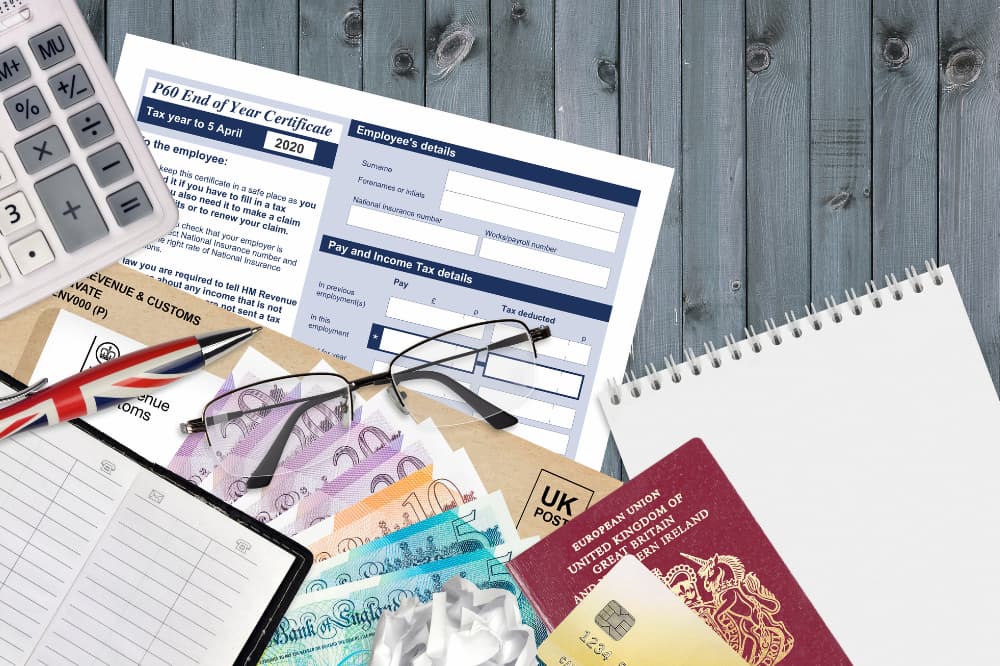
Every April, if you are a UK employee, you will receive your P60. It provides a summary of your earnings and the tax and National Insurance you have paid, information that is important for things like mortgage applications and tax refund claims.
It is one of the most important financial documents you will receive, and understanding it could save you both money and stress.
If you don’t understand a P60, this guide covers everything you need to know, including: what it shows, who receives one, how to read it, what to do if something looks wrong, and how long to keep it.
What Is a P60?
A P60 is an official document that summarises your total earnings and the tax and National Insurance contributions (NICs) you’ve paid over the course of a full tax year.
The P60 is part of the PAYE (Pay As You Earn) system, which is how most UK employees pay income tax. Your employer deducts tax from your wages before paying you, and the P60 is the annual record of those deductions.
A few important things to know:
- Your employer must issue your P60 by 31 May each year.
- You only receive a P60 if you are still employed by that employer on 5 April.
- If you left a job during the year, you would have received a P45, not a P60
- Pension providers also issue P60s
What Information Does a P60 Show?
A P60 contains many fields, all of which relate to your income and deductions for the tax year. Here is a breakdown of each:
| P60 field | What it means |
| Total pay in this employment | Your gross earnings from this employer for the full tax year |
| Total tax in this employment | All income tax deducted by this employer during the year |
| Pay from previous employment | Earnings from an earlier job in the same tax year (carried over) |
| Tax from previous employment | Tax deducted by a previous employer in the same tax year |
| Total pay for the year | Combined gross earnings from all employments that year |
| Total tax for the year | Total income tax deducted across all employments |
| National Insurance contributions | The amount of NI you paid, broken down by NI category letter |
| Tax code | The tax code your employer used to calculate deductions |
| NI number | Your unique National Insurance number |
| Student loan deductions | Any student loan repayments taken from your pay (if applicable) |
| Employer PAYE reference | Your employer’s unique HMRC reference number |
How to Read Your P60
When you look at your P60, you will see two columns: “in this employment” and “from previous employment”.
The “in this employment” column covers earnings and deductions from your current employer only. The “from previous employment” column carries over figures if you changed jobs during the tax year and provided a P45 to your new employer.
The “total for year” figures at the bottom of these columns represent the combined totals, and these are the numbers you would use for a self-assessment tax return or mortgage application.
The National Insurance section lists contributions against a letter code (such as A, B, C, or D). Most employees fall under category A, which is the standard rate.
Who Gets a P60 and When?
You will receive a P60 if you meet all of the following criteria:
- You are employed under PAYE (not self-employed)
- You are still on your employer’s payroll on 5 April (the last day of the tax year)
- You received earnings during that tax year
Your employer has until 31 May to issue your P60 following the end of the tax year. For example, for the 2024/25 tax year (ending 5 April 2025), you should receive your P60 by 31 May 2025.
P60’s can be issued as a paper document or as an electronic P60 via your employer’s payroll portal or HR software.
What If I Have More Than One Job?
If you hold more than one job at the same time, you will receive a separate P60 from each employer. Each P60 only covers the pay and deductions from that specific employer, so it is important not to mix up the figures.
If you need to complete a self-assessment tax return, you will need to include the figures from all of your P60’s. It is also worth checking that the tax code on each P60 is correct, as having multiple employments can sometimes result in the wrong code being applied, which may mean you have overpaid or underpaid tax.
P60 vs P45
The P60 and P45 are both PAYE documents, but they serve different purposes and are issued at different times. The table below summarises the differences:
| P60 | P45 | P11D | |
| When issued | End of each tax year (by 31 May) | When you leave a job | By 6 July each year |
| Who receives it | Employees still on payroll on 5 April | Employees leaving a job | Employees with taxable benefits |
| What it covers | Total pay and tax for the full year | Pay and tax up to leaving date | Expenses and benefits in kind |
| Purpose | Annual tax summary | Passed to new employer for tax code | Declare benefits to HMRC |
| Issued by | Current employer or pension provider | Previous employer | Employer |
You cannot use a P45 in place of a P60. A P45 only covers part of the tax year, while a P60 confirms your position at year-end. If you are asked to provide a P60, a P45 will not be accepted as a substitute.
Why is a P60 Important?
There are a lot of situations where you may need your P60, so it is important to keep hold of it. Here are just some of the scenarios where you will need it:
- Mortgage or rental applications
- Claiming a tax refund
- Completing a self-assessment tax return
- Checking you have paid the correct tax
- Applying for tax credits or Universal Credit
- Pension contributions and retirement planning
- Visa or immigration applications
How to Check if Your P60 is Correct
Errors on P60s can happen, especially if you changed jobs during the year or had unusual pay arrangements. It is worth taking a few minutes to check through it when it arrives.
Make sure to cross-reference it with your payslips, and check that things like your tax code and National Insurance number are correct.
If you find an error, contact your employer’s payroll department first. In most cases, they can identify and correct the issue. If the error has resulted in you paying too much National Insurance or tax, HMRC can arrange a refund.
If you have underpaid, HMRC will collect the underpayment through an adjusted tax code in the following year.
What To Do If You Haven’t Received Your P60
Your employer has until 31 May to issue your P60. If that date has passed and you still haven’t received yours, follow these steps:
- Check your employee portal or payroll software
- Contact your HR or payroll team
- Contact HMRC
HMRC does not issue P60s directly and cannot replace one. Only your employer or pension provider can do this. If you have lost your P60, you will need to request a duplicate from them.
How Long Should You Keep Your P60?
HMRC recommends you keep your P60 for at least 22 months after the end of the tax year they cover.
If you complete a self-assessment tax return, keep your P60 for at least five years after the 31 January filing deadline for that tax year.
For pension or investment income, consider keeping records for even longer.
Tips for Storing a P60 Safely
Digital copies: scan or photograph your paper P60 and email it to yourself, or store it in cloud storage such as Google Drive or iCloud
Paper copies: keep in a dedicated folder alongside other important documents such as payslips and correspondence from HMRC
If your employer issues electronic P60S, download a copy to your own device rather than relying on continued access to their portal.
Understanding your P60 with Haggards Crowther
Understanding your P60 can help you avoid overpaying tax and support any important financial applications you may have.
If reviewing your P60 has raised questions about whether you have paid the right amount of tax, or you want peace of mind that your tax affairs are in order, Haggards can help.
Our personal tax advisers can work with you to make sure you understand your P60, offering personalised tax advice.
Get in touch with our personal tax team to find out how we can help you.
Frequently Asked Questions
Do I need a P60 for a mortgage application?
Yes, most mortgage lenders require evidence of income, and P60’s from the last two to three years are the standard way to demonstrate this for employed applicants. Some lenders also accept recent payslips alongside a P60.
Can I get a replacement P60 if I’ve lost mine?
HMRC does not issue replacement P60s. You will need to contact your employer or pension provider and ask them to issue a duplicate. Most payroll systems can reprint or re-issue a P60 on request.
Does a P60 show gross pay or net pay?
Your P60 shows gross pay (your earnings before any deductions) alongside a separate figure for the total income tax deducted. It does not show your net (take-home) pay directly, but you can calculate it by subtracting tax and NI from your gross pay.
What is the difference between a P60 and a payslip?
A payslip is a monthly or weekly breakdown of your pay and deductions for a single pay period. A P60 is an annual summary covering the full tax year.
I’m self-employed, do I get a P60?
No. P60’s are only issued to employees under the PAYE system. If you are self-employed, you pay tax through self-assessment and will not receive a P60. Your tax records are kept through your self-assessment returns instead.
What if I have more than one job?
If you hold more than one job at the same time, you will receive a separate P60 from each employer. Each P60 only covers the pay and deductions from that specific employer. If you need to complete a self-assessment tax return, you will need to include figures from all P60’s.